1641660
Quick setup
How to install BIGO IPTV Player
Install in two minutes
Get the app running on your phone, tablet, Firestick, or Android TV — then sign in with your line.
Android Phone & Tablet
Tap Download APK, open the file, allow installs from unknown sources if prompted, then sign in with your line.
Firestick & Android TV
Open Downloader, enter code 1641660, install the APK, and launch the app.
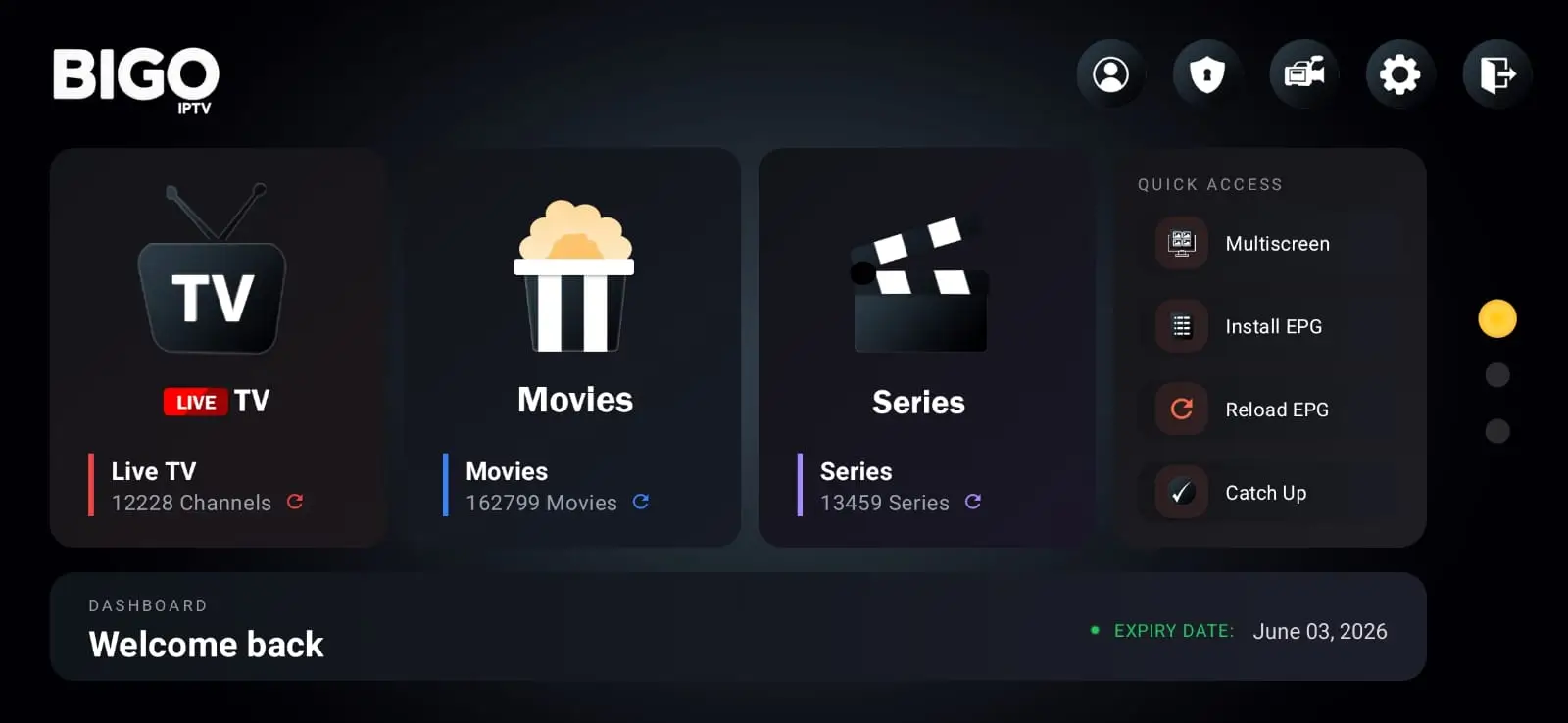
Official screenshot
App Preview
The real BIGO IPTV Player interface — Live TV, movies, series and settings in one clean app.
Features
Why use BIGO IPTV Player
Official App
One maintained player from BIGO IPTV — not random third-party APKs.
Light & Fast
Low memory use and quick channel changes on older TV boxes.
No Ads
Clean playback with no banners, pop-ups or tracking libraries.
Xtream / M3U / MAC
Sign in with Xtream Codes, M3U URL or MAC / Stalker portal.
Multi Device
Same login on phone, tablet and TV when your plan allows it.
Clean Interface
Tidy Live TV, Movies and Series sections built for remotes.
Regular Updates
Currently v1.6.3 — updated 02 Jun 2026 with ongoing improvements.
Secure Login
Your credentials stay on your device. No extra account needed.
Easy Setup
APK download or Downloader code 1641660 — up in minutes.
Compatibility
Supported devices
About
Official BIGO IPTV Player
BIGO IPTV Player is an official IPTV player app. It does not include channels by itself. Users need their own IPTV subscription or free test line.
Enter your Xtream Codes, M3U URL or MAC portal once, then watch live TV, movies and series on Android TV, Firestick, phones and tablets. One maintained app — no ads, no tracking.
FAQ
Common questions
Is BIGO IPTV Player free?
Yes, the player is free to download. You need your own IPTV subscription or BIGO IPTV line to sign in and watch.
Does the app include channels?
No. BIGO IPTV Player is a media player only. Channels come from your IPTV provider or BIGO IPTV subscription.
Do I need an IPTV subscription?
Yes. Enter your Xtream Codes, M3U URL or MAC portal details from your provider once, then watch on any supported device.
Which login formats are supported?
Xtream Codes API, M3U / M3U URL, and MAC / Stalker portals are all supported.
Does it work on Firestick?
Yes. Open the Downloader app, enter code 1641660, install the APK, then sign in with your line.
Does it work on Android TV?
Yes. The app is optimised for Android TV and Google TV with a remote-friendly interface.
Is it safe and ad-free?
Download only from this official page. The player has no ads, no push spam and no hidden tracking.
How do I update the app?
Download the latest APK here (v1.6.3) or reinstall via Downloader code 1641660 on Firestick.
What should I do if channels are buffering?
Buffering is usually network or server related. Try Ethernet on TV, restart your router, or contact your IPTV provider or BIGO support.
Can I use it on multiple devices?
Yes, if your IPTV plan allows multiple connections. Sign in with the same credentials on each device.
Need IPTV line for this app?
Get a free test or choose a premium package to use with BIGO IPTV Player v1.6.3.